back in 2013 a web part was published on Codeplex which was called “ClaimsViewerWebPart”. I do not know who the author was, but since I stiil find it a really useful web part I decompiled the code and made a new project to support SharePoint 2019 and Subscription Edition.
Installation
To install a solution you need to open SharePoint Management Shell and run commands
Add-SPSolution -LiteralPath c:\temp\Xnet.SP.ClaimsViewerWebPart.wsp

Install-SPSolution -Identity Xnet.SP.ClaimsViewerWebPart.wsp -GACDeployment -WebApplication http://[mywebapp]
Activation
Once solution is installed, you can activate the web part and add it to your page.
In site collection administration, you need to find “Xnet – ClaimsViewerWebPart” feature and activate it.

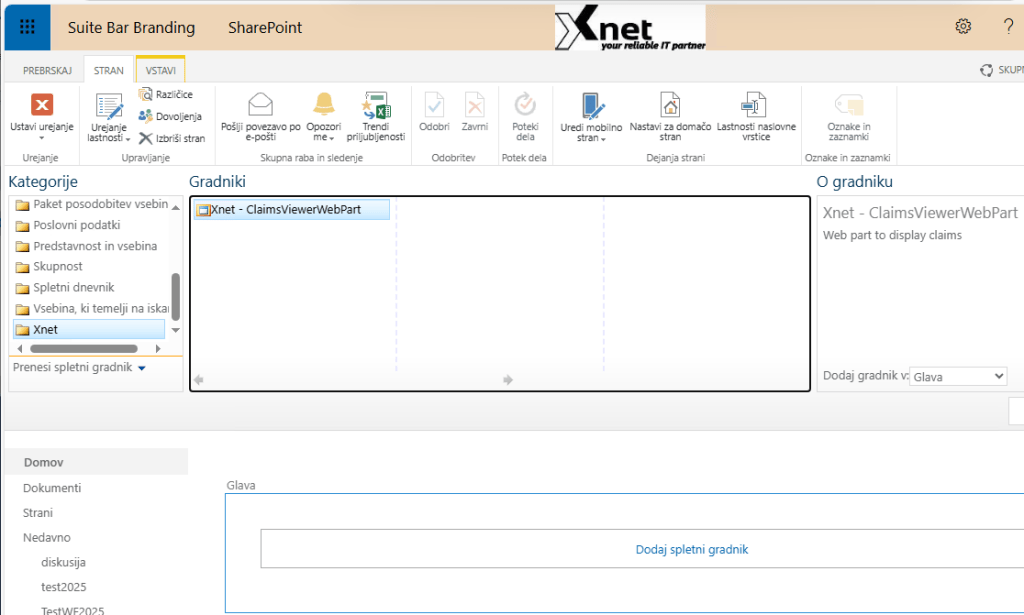
Once activated, you can create a new page and add a web part that is found under Xnet category
When web part is added to the page, it will render all claims related to the currently logged on user account.
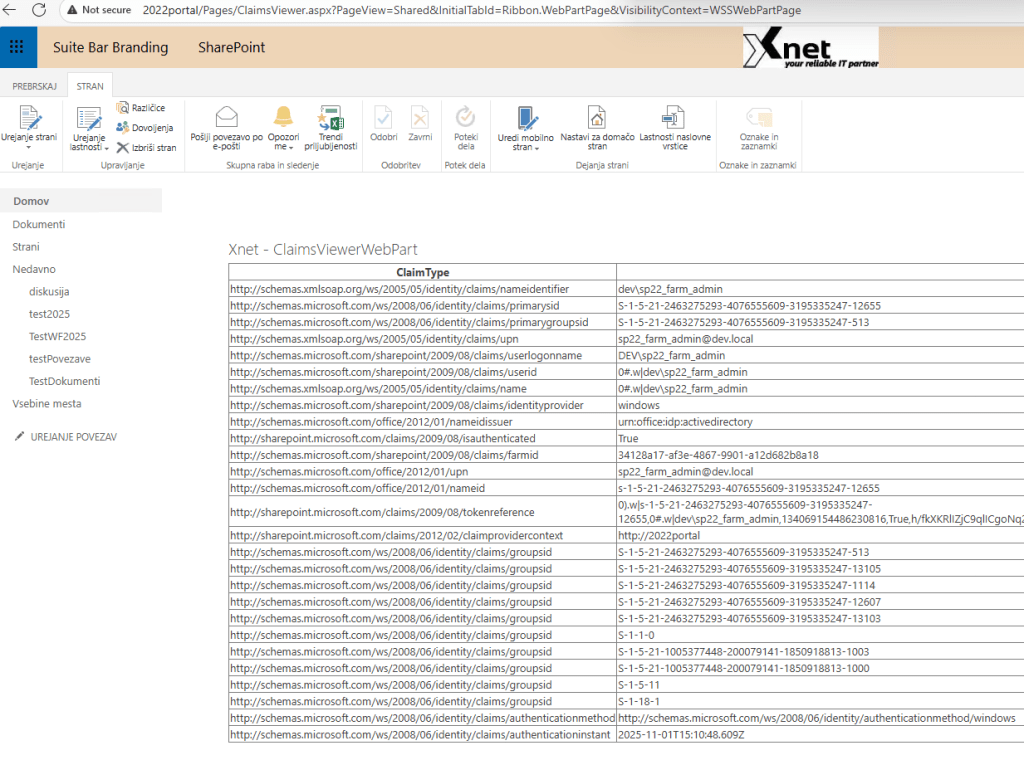
This web part is really useful when using SharePoint with OIDC and any other Idp which is not SharePoint default (e.g. Windows).
Source code
You can find source code for the web at https://github.com/Rob3r70/ClaimsViewerWebPart
Direct download WSP
Direct wsp download is available at: https://github.com/Rob3r70/ClaimsViewerWebPart/blob/main/Xnet.SP.ClaimsViewerWebPart.wsp
 Rob3r70 SharePoint Blog
Leave a comment