
“The underlying connection was closed: Could not establish trust relationship for the SSL/TLS secure channel”
I recently had two cases with my customers, where they managed to break SSL bindings on SharePoint Web Services web site.
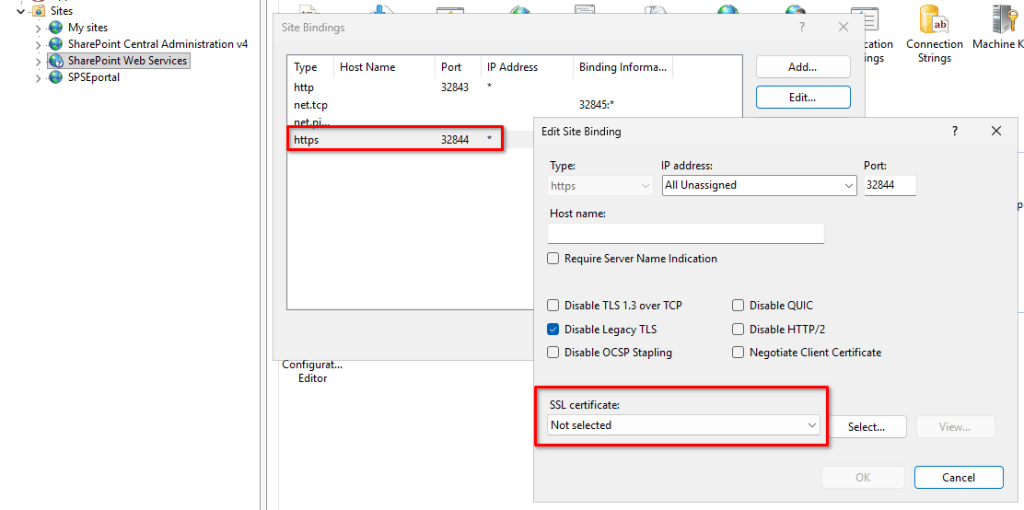
What happened was that they were somehow investigating the SSL bindings on the SharePoint web services web site and found out, that SSL certificate is not selected. Which is OK!
The reason why this is OK is, because the certificate that is bound to this binding is not in the “Personal” certificate store of the computer account, but is saved in the “SharePoint” Certificate store.
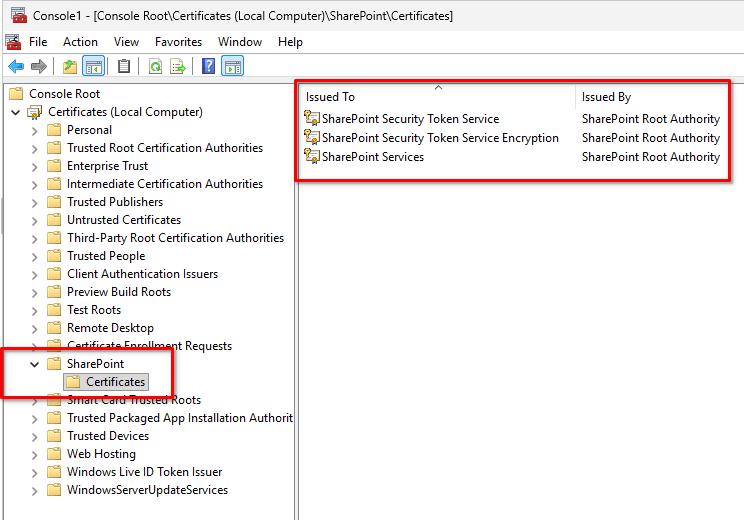
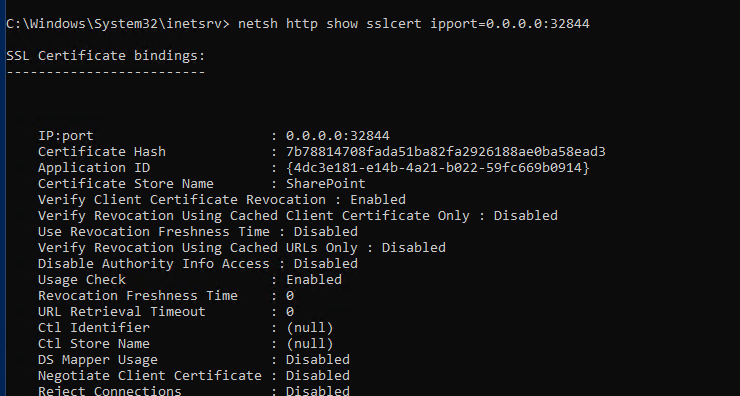
This binding can not be seen in the IIS manager, but can be seen in CMD. So if you run
netsh http show sslcert ipport=0.0.0.0:32844
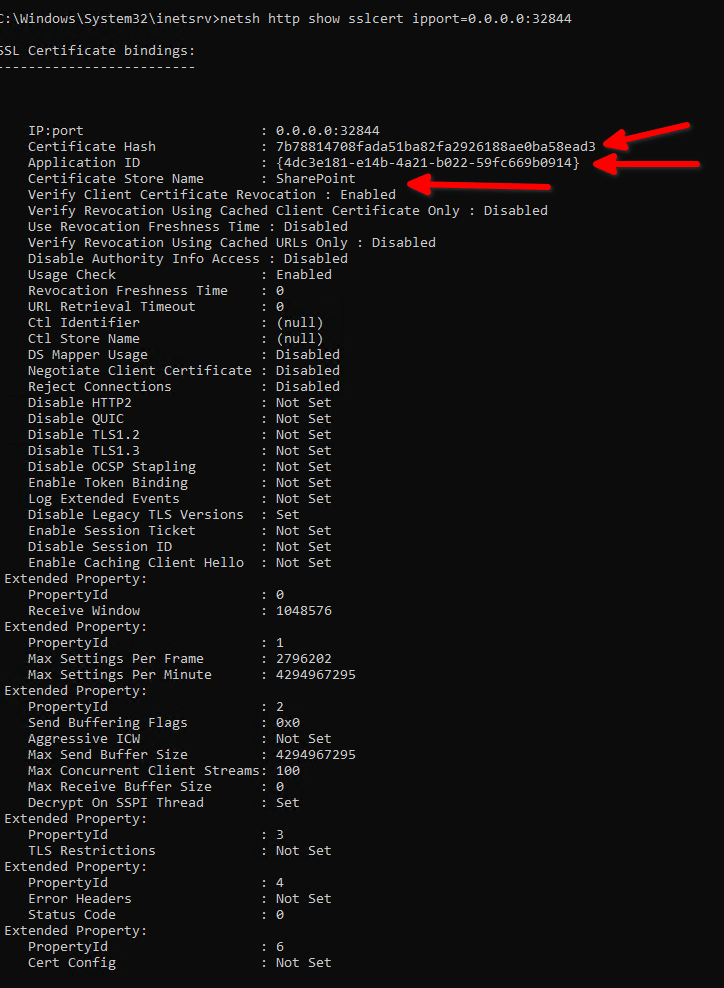
So when client changed the certificate binding in IIS manager, he has broken the certificate trust and then all kind of weird stuff start to happen.
So for the demonstration purposes, if I change the binding on IIS web site like this
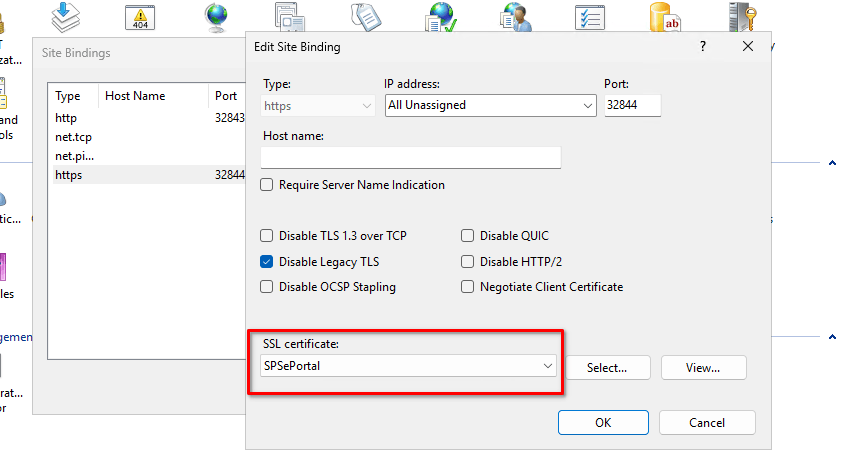
I have now broken my SharePoint farm. In SharePoint Search Service application you might see
“The underlying connection was closed: Could not establish trust relationship for the SSL/TLS secure channel”

The reason behind is, that the web service certificate used for farm services is no longer trusted.
How to fix the binding
Because the certificate is not seen in the dropdown list and because the binding has special settings, you need to use the netsh tool to reestablish trust.
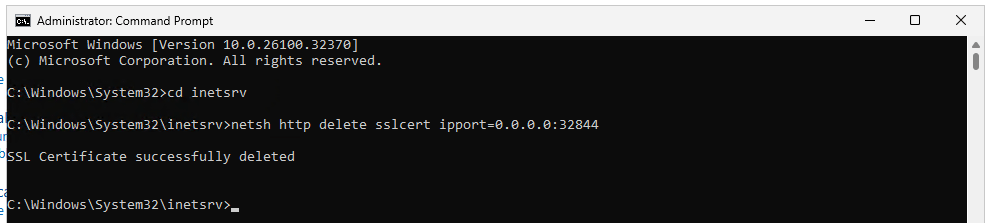
First, we need to delete the existing certificate binding
netsh http delete sslcert ipport=0.0.0.0:32844
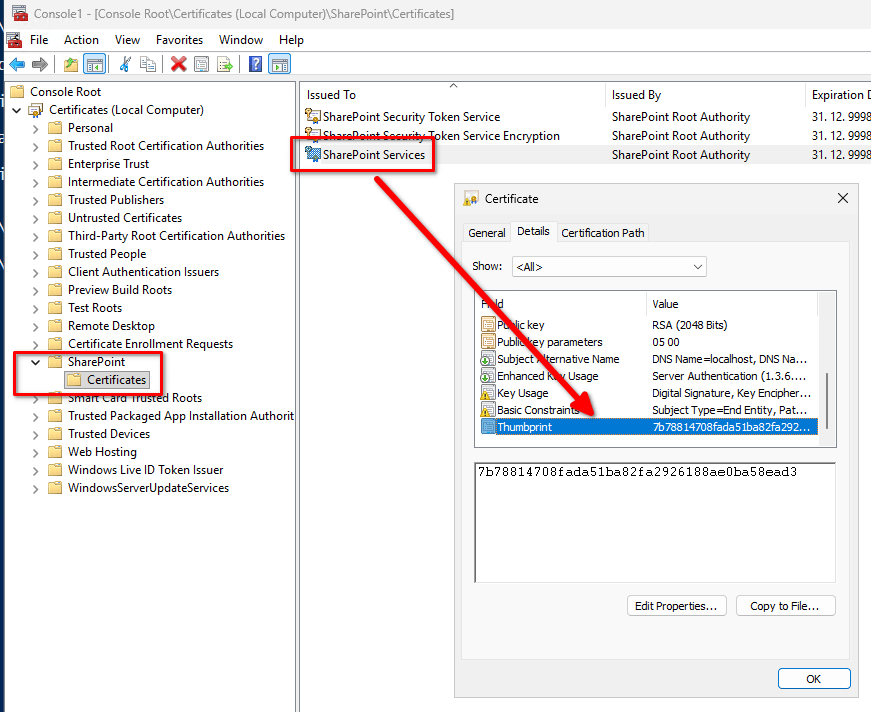
Second step is to find the certificate thumbprint used to establish trust. You can find it in computer certificate store, under SharePoint folder
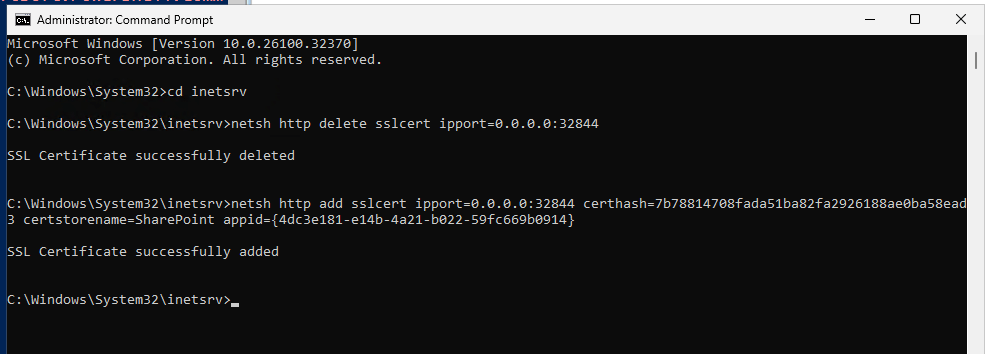
Once you have this, you can use the following script
netsh http add sslcert ipport=0.0.0.0:32844 certhash=7b78814708fada51ba82fa2926188ae0ba58ead3 certstorename=SharePoint appid={4dc3e181-e14b-4a21-b022-59fc669b0914}
Where you need to update “certhash” with your own value.
Certstorename and appid are always the same
certstorename=SharePoint appid={4dc3e181-e14b-4a21-b022-59fc669b0914}
To check the binding, you can run
netsh http show sslcert ipport=0.0.0.0:32844
Now, you can also set some additional settings, which are enabled by default on the binding:
netsh http update sslcert ipport=0.0.0.0:32844 certhash=7b78814708fada51ba82fa2926188ae0ba58ead3 certstorename=SharePoint appid={4dc3e181-e14b-4a21-b022-59fc669b0914} verifyclientcertrevocation=enable usagecheck=enable clientcertnegotiation=disable
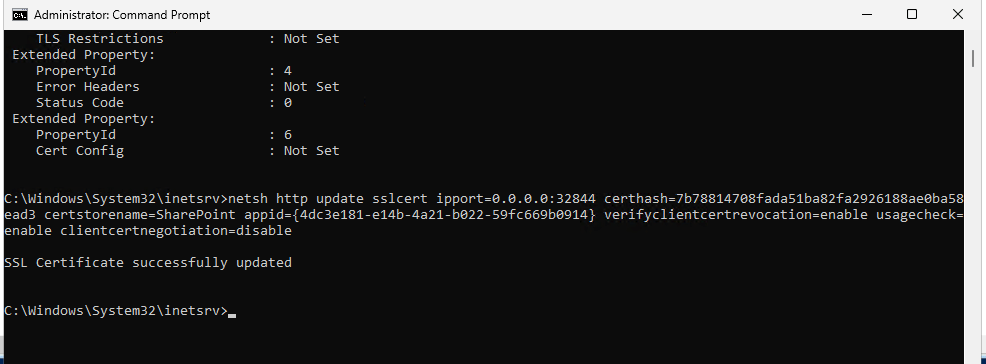
Now, the binding is back to it’s original settings and your SharePoint farm should work as expected.
Hope this helps someone.


Leave a Reply